You open ChatGPT and look for a new model. You expect to see ChatGPT 5. It’s not there. That gap causes confusion fast. This article explains why ChatGPT 5 may not show up and what that usually means. The goal is clarity, not rumors.
What ChatGPT Is and How Models Appear?
 ChatGPT is a product by OpenAI. Inside ChatGPT, models appear through a selector. That selector updates based on account eligibility, rollout timing, and platform rules. Not every user sees the same options at the same time.
Models are enabled on the server side. Your device does not unlock them. This matters when expectations don’t match reality.
What ChatGPT 5 Means?
“ChatGPT 5” usually refers to the idea of a next major model generation, often called GPT-5 in discussions. Online posts and videos can make it sound public and ready. That talk does not equal availability.
A name circulating online does not guarantee it exists in the ChatGPT interface yet. Availability depends on official release decisions.
Is ChatGPT 5 Available Right Now?
If you do not see ChatGPT 5 in your model list, the clear answer is this: it is not available to your account in ChatGPT at this time.
That does not mean your account is broken. It usually means the model is not released broadly, or it is limited to specific testing groups.
Why ChatGPT 5 Is Not Showing Up?
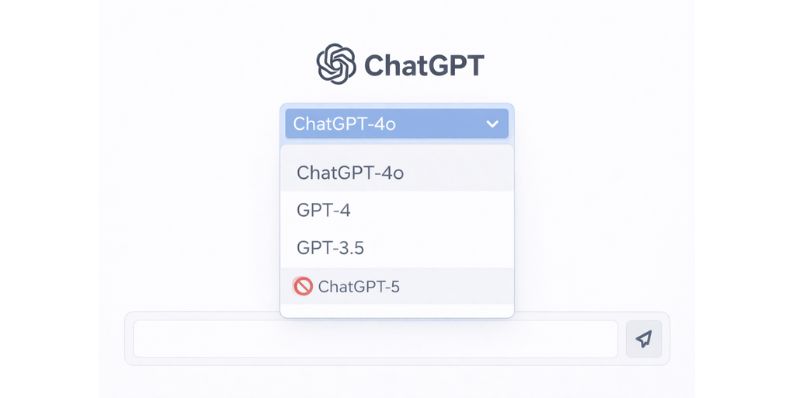 Several common reasons explain this:
- The model is not publicly released in ChatGPT
- Access is limited to internal or early testers
- Your plan does not include that model
- Rollout is gradual and region-based
- The app or browser session is outdated
None of these mean you did something wrong.
What You Can Check on Your Side?
You can rule out simple issues with a few checks:
- Refresh the page or restart the app
- Log out and log back in
- Update the ChatGPT app or your browser
- Confirm your subscription status
- Try another device
If the model still does not appear, the reason is almost always access-related, not technical.
Conclusion
When ChatGPT 5 is not showing up, it is usually normal. Models appear only when OpenAI enables them for your account. Online discussion often runs ahead of official release.
Stick to official updates. Use the models you already have. When a new model becomes available, it will show up automatically. If this helped, share it with someone else who’s searching for the same answer.