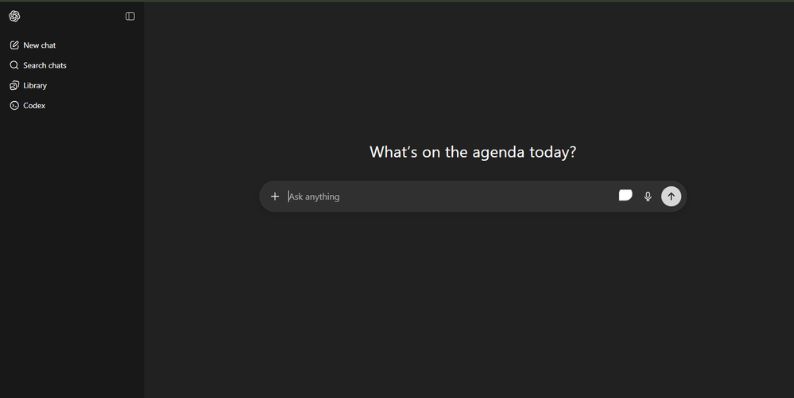
In the ever-evolving world of online communication, simplicity and user accessibility continue to shape the tools we use daily. One such innovation that has been quietly gaining traction is MiniChat, a lightweight, flexible platform designed for seamless real-time interaction. Whether you're a business owner, a developer, or just someone who needs quick and reliable live chat capabilities, understanding what MiniChat offers can help you make better-informed tech decisions.
TL;DR
MiniChat is a lightweight, web-based chat system designed for simplicity and real-time communication. It supports basic features out of the box and can be customized or integrated into existing platforms with relative ease. It’s especially useful for developers and small businesses that need fast, manageable chat tools without the overhead of complex software. Think of it as a streamlined alternative to bulky communication solutions.
What Exactly Is MiniChat?
MiniChat refers to a streamlined chat application or module, typically used for real-time communication between users on a website or application. Unlike large, feature-heavy platforms like Slack or Microsoft Teams, MiniChat favors a minimalist approach with an emphasis on ease of use, speed, and utility.
Originally developed as an open-source project, MiniChat gained popularity because of its minimal infrastructure requirements and the ability to embed it directly into web pages or applications. As more users and organizations seek focused, real-time tools without distractions, MiniChat fills this niche exceptionally well.

Core Features of MiniChat
While various versions or clones of MiniChat exist today, most implementations share a common set of features that form the foundation of their appeal. Here's a breakdown of the most common functionalities:
- Real-Time Messaging: Messages are instantly updated using websockets or AJAX, giving users a live experience without the bloat of larger platforms.
- Lightweight Design: Typically under 100KB to 200KB in size, MiniChat loads exceptionally fast even on slower networks.
- Open Source Availability: Many versions are available for download and customization under open licenses like MIT or GPL.
- Mobile-Compatible: Most MiniChat versions include responsive designs that adjust neatly on smartphones and tablets.
- Simple User Authentication: Basic login systems or guest name assignments to distinguish users during chat sessions.
Some implementations may offer additional perks such as emoji support, typing indicators, or custom themes, but the toughest challenge they solve is delivering real-time messaging with minimal dependencies.
Who Is MiniChat For?
MiniChat isn’t trying to compete with enterprise chat solutions—it's targeting a different clientele entirely. It’s especially valuable for the following user segments:
- Developers: Working on small projects or MVPs where integrating a heavy framework doesn’t make sense.
- Startups: Who need a quick, easy-to-use internal communication system for product demos or customer service trials.
- Educators & Online Instructors: Seeking lightweight tools for live Q&A or quick chats within a course portal.
- Nonprofit Organizations: That require functional tools without high costs or maintenance expenses.
- Forum Admins & Community Hosts: Looking to integrate low-storage chat into existing websites.
Technical Specifications and Infrastructure
The architecture behind MiniChat is what makes it particularly accessible. Below are some common elements that make up a basic MiniChat installation:
- Frontend: Usually HTML, CSS, and JavaScript—no frameworks necessary, though Vue.js or React can be added for dynamic functionality.
- Backend: PHP and MySQL are very common, though newer versions might use Node.js, Firebase, or even Django.
- Data Handling: Messages are often stored in a database or temporarily in memory with systems like Redis for faster retrieval and less server load.
- Security: Basic sanitation of inputs, anti-spam measures, and user filters are standard, though developers are encouraged to build safer authentication systems around it.
Because it's open-source and light on dependencies, MiniChat can be hosted on shared servers or virtual private servers (VPS) without performance issues.
The Advantages of MiniChat
So why choose MiniChat over something more commercial and robust? Here are a few standout benefits that MiniChat users frequently cite:
- Freedom to Customize: Developers are not locked into a proprietary ecosystem and can tweak the code to build new features or streamline performance.
- Cost Efficiency: With no licensing fees and minimal hosting requirements, MiniChat is a low-cost solution for startups and individual users.
- Speed of Deployment: Unlike larger systems that require configuration, MiniChat can often be set up in under 30 minutes.
- Minimal Data Requirements: Great for countries or communities where high-speed internet is not universal.
Its minimal footprint and ease of installation make it ideal for situations where you need a live feature quickly and can’t afford complex onboarding or administration overhead.
Limitations to Consider
Despite its usefulness, MiniChat is not without limitations. Prospective users should be aware of the following caveats:
- Scalability Issues: MiniChat is not optimized for large user bases or high-volume traffic without significant additional engineering.
- Limited Feature Set: Lacks advanced features like file sharing, screen sharing, or voice/video calls.
- Potential Security Risks: Without proper configurations, a default MiniChat instance may be vulnerable to spam, injection attacks, or data leaks.
- No Official Support: Since many MiniChat versions are community-led, there’s no official help desk or customer service.
That said, many developers use MiniChat as a starting point and build additional layers of security or functionality on top of it, which makes it highly adaptable if you know your way around web development.
How To Get Started with MiniChat
To begin using MiniChat, follow these general steps depending on your level of experience:
- Download a version of MiniChat from a trusted source like GitHub or CodeCanyon.
- Upload the files to your web server or local environment.
- Configure basic settings like database connection, port selection, or admin credentials.
- Test functionality and make sure messages send/receive correctly in real time.
- Customize UI styles, themes, or APIs as needed.
If you’re new to chat systems or web development, lots of tutorials and community documentation are available to help smooth the setup process.
The Future of MiniChat
While it started as a niche solution, the growing demand for lightweight, customizable tools means MiniChat’s relevance is only increasing. Developers around the world are creating forks and extensions, bringing in features like language translation, AI chatbots, or even blockchain-based identity systems.
Looking ahead, expect MiniChat to remain an attractive offering for developers seeking lightweight, reliable, and cost-effective chat solutions that can be shaped to fit unique project requirements. As digital communication continues to diversify, tools like MiniChat will likely play a crucial role in bridging the gap between simplicity and functionality.
Conclusion
MiniChat is more than just a modest messaging app—it's a philosophy that values simplicity, speed, and control. Ideal for developers, startups, and digital minimalists, it's a refreshing alternative to the overwhelming set of features that accompany most modern communication tools.
By understanding its capabilities and limitations, you can decide whether MiniChat suits your needs or is better served as a foundation for a broader, tailored communication system. Either way, its place in the ecosystem of web tools is secure, offering a compelling case that sometimes, less really is more.