Roblox is one of the most popular games in the world. Millions of players log in daily to create, play, and share different types of games. Normally, Roblox needs to be downloaded from the App Store, Google Play, or installed on a PC. That takes space and sometimes doesn’t work well on school or low-end devices.
Now.gg makes things easier. It’s a cloud gaming service that allows you to play Roblox directly from a web browser. No need to install large files or update the game all the time. You just open the browser, log in, and play.
What is now.gg Roblox and Why Use It?
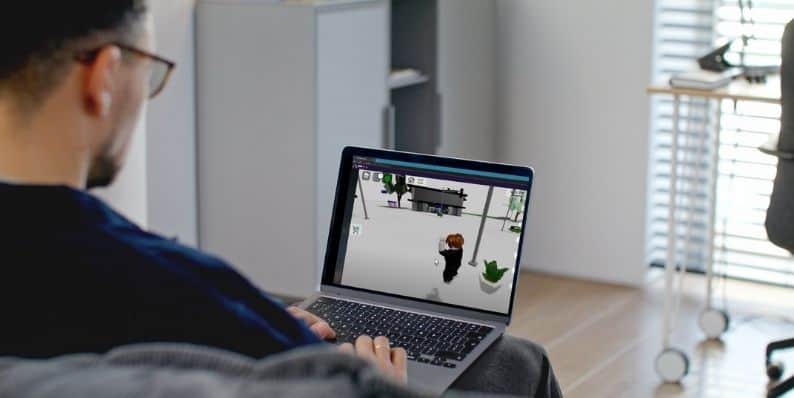 Now.gg is a cloud gaming platform. It runs games on powerful servers and streams them to your device screen, a bit like watching a video but interactive. Roblox works on now.gg because it can be streamed without needing to download the whole game.
When you play Roblox on now.gg, the heavy processing happens on the server side. That means your phone, Chromebook, or computer doesn’t need to handle all the load. Even devices with little storage or weaker hardware can play Roblox smoothly.
Many players choose now.gg because it’s fast and simple. You can access Roblox at school, on an old laptop, or on a device that doesn’t support big apps. It saves space, removes the need for updates, and works across iOS, Android, Windows, and Mac.
Requirements for Playing Roblox on now.gg
Roblox on now.gg doesn’t require much, but there are a few basics you must have to enjoy a smooth game.
- A stable internet connection (Wi-Fi or 5G recommended)
- Supported web browser (Google Chrome, Safari, or Microsoft Edge)
- A Roblox account for login
- Device with keyboard and mouse or touchscreen controls
- Updated operating system (Windows, macOS, Android, iOS)
- Access to the official now.gg website
- A network that doesn’t block gaming services
- A VPN that can unblock Roblox Safely
How to Play Roblox on now.gg?
The process is very simple. You don’t need to download Roblox or install extra files. Just a browser and internet are enough.
Here are the steps you can follow:
- Open a browser on your phone, tablet, or computer
- Go to the official website now.gg
- Use the search option and find Roblox
- Click on the Roblox page and press Play in Browser
- Log in with your Roblox username and password
- If needed, complete two-step verification
- Adjust your controls depending on device (keyboard/mouse or touch)
- Start playing your favorite Roblox games instantly
Common Troubleshooting Problems to Play Roblox on now.gg
Sometimes Roblox on now.gg may not work smoothly. The issues are often related to internet, browser, or network restrictions.
- Lag or slow response during gameplay
- Blocked by school or office firewalls
- Login errors or verification problems
- Games loading slowly or stuck on black screen
- Controls not working properly in browser
Is It Safe to Play Roblox on now.gg?
Yes, it’s safe if you use the official now.gg site. The login process is handled through Roblox’s own system, so your account details are not exposed to third-party apps. Just make sure you avoid fake links or unofficial websites that copy now.gg.
Tips for a Better Roblox Experience on now.gg
Playing through cloud gaming works best with the right setup. These tips can make your sessions smoother and reduce lag.
- Always use fast Wi-Fi or 5G network
- Keep your browser updated
- Close extra tabs and background apps
- Restart your browser before long gaming sessions
- Use full-screen mode for better gameplay
- Avoid VPNs unless needed for access
- Use devices with at least 4GB RAM
- Check Roblox server status if games don’t load
Conclusion
Roblox on now.gg is an easy way to enjoy the game without installing large files. It works across phones, Chromebooks, and computers, giving instant access through a browser. For players with low-end devices or limited storage, it’s one of the best options.
As long as you stick to the official now.gg website, use a strong internet connection, and keep your device updated, you can play Roblox anywhere, anytime. Cloud gaming is a simple solution to make Roblox more accessible to everyone.