
So you've got this weird file on your computer called .mogg, and now you're stuck. You double-click. Nothing happens. You try to open it in your music player. Still nothing.
You're not alone. A lot of people run into this kind of file and have no clue what to do with it. But don’t worry — it's not broken, and it's definitely not useless. It just needs the right setup. This article breaks it down for you in plain language.
What Is a .mogg File and Why Is It Used?
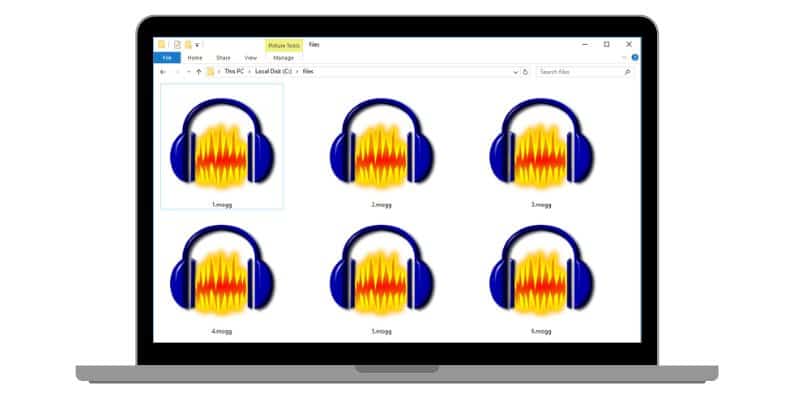
Think of it like a zip folder for music parts.
This kind of file is mostly used in sound production or game files. If you’ve played around with Rock Band, Guitar Hero, or worked on audio remix projects, that’s where you might’ve seen it.
Where Do You Typically Find .mogg Files?
You won’t get these from iTunes or Spotify. They’re a bit niche. But here’s where they show up:
-
Songs ripped from rhythm games
-
Music production packs with stems
-
Audio project backups
-
Fan-made remixes and modding content
Each track is stored separately. That’s why DJs and audio editors love it — you can isolate just the vocals or the drums, and mix how you want.
How Do You Open a .mogg File? (Best Software)
If you're trying to open a .mogg file like it's a song — it won’t work. You need software that understands multitrack audio.
Try these options:
-
Audacity (free, but needs FFmpeg plugin installed)
-
Reaper (powerful DAW with native .mogg support)
-
Foobar2000 (mainly for playback, not editing)
In Audacity, once the plugin is set up, just import the .mogg and boom — each track appears in its own lane. Drums. Vocals. Instruments. All separated and ready for you to play with.
How to Convert .mogg Files to MP3 or WAV Format?
Yep, you can. But converting has trade-offs. If you convert the full .mogg into MP3, you’ll get a mixdown — all the tracks blended together. No separation.
If you want individual parts, here’s what to do:
-
Open the file in Audacity
-
Solo the track you want (like vocals)
-
Export that solo track as MP3 or WAV
-
Repeat for other parts if needed
It takes a few steps, but you get clean files. You can also export all tracks together but keep them separate using “Export > Export Multiple” in the menu.
Why Won’t Your .mogg File Open? Common Fixes
Here’s the truth — most people run into this because they try to open the file in a player that doesn’t support it. Like Windows Media Player or VLC. These apps aren’t made for multitrack formats. And without the right plugin, even Audacity might refuse to import it.
Other reasons?
-
The file was renamed or corrupted during download
-
It’s not really a .mogg — maybe it’s a renamed zip or mislabeled audio file
-
FFmpeg isn’t installed correctly in your audio editor
-
The .mogg is locked or packed with DRM from a game file
The fix is simple: use the right tool. And make sure it’s updated.
Are .mogg Files Still Used Today?
They’re not mainstream anymore, but they’re far from dead. Most producers and remixers now use WAV stems or FLAC multitracks, but .mogg still floats around.
If you’re downloading music game files, remix kits, or old session backups, you’ll still see .mogg formats. They’re light, editable, and work well if you’ve got the right gear.
So while not new, they still matter in the right corners of the internet.
Final Thoughts
A .mogg file isn’t something to stress over. It’s just a pro-style audio format that holds lots of tracks in one file. You can open it. You can edit it. And yes, you can even convert it.
Just grab Audacity or Reaper, get the plugin if needed, and you're good. Whether you're remixing songs or just curious what’s inside, now you’ve got the answer.
Still stuck? Drop a comment or share the file name — maybe it’s not what it seems.