
Getting a phishing email is not new. What feels different now is seeing one that appears to come from a real Microsoft email address. The sender looks correct. The domain looks trusted. Spam filters may not block it. That is where confusion starts.
This article explains how this scam works, why the email looks legitimate, and what you should do if you receive one. The goal is to help you understand the risk without panic and take the right action.
What does the Microsoft Phishing Email Looks Like?
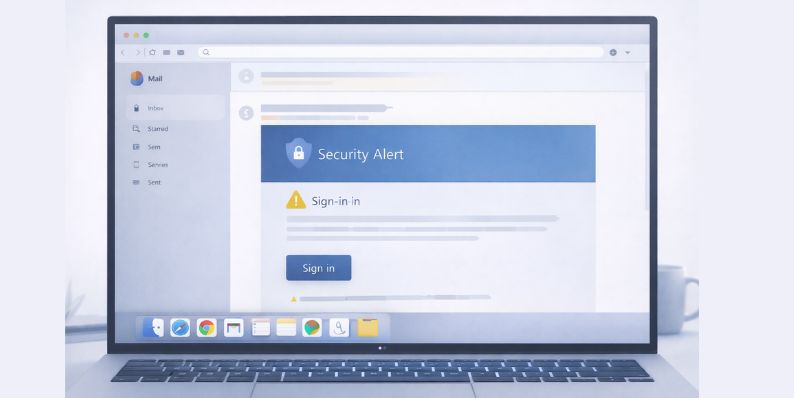
Common traits include:
- Subject lines about account security or unusual sign-in activity
- Messages claiming your Microsoft 365 account needs review
- Warnings about password expiration or blocked access
- A button or link asking you to sign in
Nothing looks obviously fake. That is the point.
Why the Email Appears to Come From Microsoft
The email may actually come from a real Microsoft system. That is what makes this scam dangerous. Attackers are not always spoofing the sender address. In many cases, they are abusing legitimate Microsoft services.
Microsoft allows users and organizations to send emails through services like Outlook and cloud tools connected to Azure. If an attacker gains access to a valid account or creates a tenant for abuse, emails can pass basic checks.
Because the sender domain is real, people trust it. That trust is what attackers rely on.
How Scammers Use Real Microsoft Infrastructure
Attackers use several methods to send phishing emails through real Microsoft systems. These methods do not require breaking Microsoft security at a core level.
Common abuse methods include:
- Compromised Microsoft 365 accounts sending phishing emails
- Abuse of trial or low-cost tenants
- OAuth apps tricking users into granting access
- Automated tools sending emails from trusted environments
Once an email is sent from a real account, it can pass standard email checks.
Is This Email Spoofed or Actually Sent Through Microsoft?
This is where many users get confused. Some phishing emails are spoofed. Others are not.
In these cases, the email is often actually sent through Microsoft systems. That means email checks like SPF, DKIM, and DMARC may all pass. Spam filters trust the message because the technical signals look valid.
This is not a failure of email security standards. It is abuse of trusted platforms.
Why This Type of Phishing Is More Dangerous
These emails work better than traditional phishing. Users lower their guard because the sender looks real. The email may even appear inside an existing Microsoft email thread.
Once a user clicks the link, they may land on a fake sign-in page or approve a malicious app. This can lead to stolen credentials, session access, or long-term account control.
Because the attack blends into normal activity, detection is slower and damage can spread.
Signs the Email Is Still a Phishing Scam
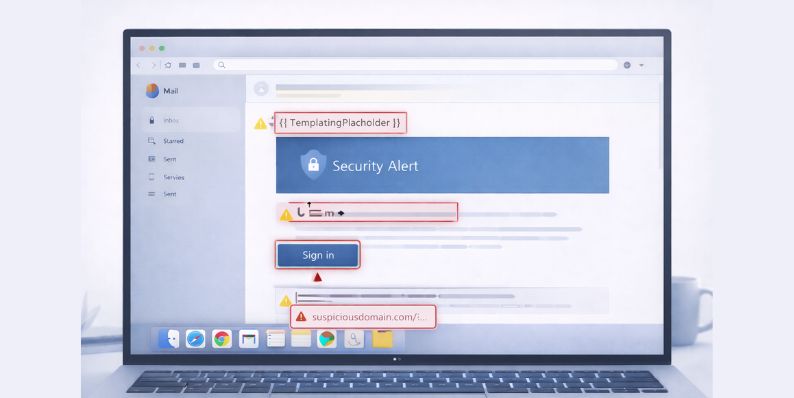
Watch for:
- Links that lead to non-Microsoft domains
- Requests to sign in again without explanation
- Urgent language pushing quick action
- Generic greetings instead of your name
- Unexpected permission requests
- Small spelling or formatting inconsistencies
Trust the content, not just the sender.
What to Do If You Receive One of These Emails
If you receive an email like this, slow down. Do not click immediately.
Follow these steps:
- Do not click links or buttons
- Hover over links to check destinations
- Open Microsoft services by typing the address manually
- Report the email inside Outlook or your mail provider
- Delete the message after reporting
If you already clicked or signed in, change your password right away and review account activity.
How to Protect Yourself From Microsoft-Based Phishing
You cannot stop all phishing, but you can limit damage.
Helpful steps include:
- Enable Two-factor authentication
- Review connected apps and remove unknown ones
- Use a Password manager
- Keep recovery information updated
- Monitor sign-in alerts
- Use tools like Microsoft Defender
These steps reduce risk even if a scam slips through.
Final Thoughts
A phishing email coming from a real Microsoft address feels unsettling, but it does not mean Microsoft systems are fully compromised. Attackers are abusing trust, not breaking the platform itself. Awareness is your strongest defense.
If this article helped you understand what is happening, share it with others. Many people are confused by these emails, and clear information helps everyone stay safer.