
USB output problems in FreeRTOS can show up without warning. A USB task may freeze, wait forever, or stop after a few packets. If this happens, this guide explains how FreeRTOS handles USB communication, why the USB output task blocks, and how to fix it in a simple and clear way. You will see real embedded terms like USB CDC, endpoints, task notifications, queues, buffers, and ISRs, but written in easy English.
The goal is to help you understand the real cause and unblock the USB output task step by step.
Understanding How FreeRTOS Manages USB Tasks

Even a small delay in the scheduler, driver, or buffer logic can freeze the task. This system works only when tasks, interrupts, and buffers stay in sync.
Common Causes of a Blocked USB Output Task
Before fixing anything, it helps to see the usual triggers. These issues appear often in boards like STM32, ESP32-S2, NXP i.MX RT, or PIC32.
Here are the common causes:
- Queues or stream buffers fill and never clear
- USB ISR does not send task notifications
- Heavy tasks take too much CPU time
- USB task priority is too low
- USB driver callbacks fail to run
- Not enough stack or heap memory
- Race conditions inside endpoint events
- Interrupts stay disabled too long
These give you a clear direction when troubleshooting.
How to Unblock the USB Output Task in FreeRTOS?
A blocked USB task often comes from a missing signal, a full buffer, a slow callback, or tight memory. Below are the main methods to fix the issue.
Method 1: Fix Task Notification Problems Between USB ISR and the USB Output Task
This method matters because the USB task depends on the interrupt to wake it. If the ISR fails to notify the task, the USB output flow stops.
Here are the steps you can follow:
- Check how the USB ISR sends a signal to the USB task in your transmit code.
- Use vTaskNotifyGiveFromISR inside the USB interrupt.
- Add portYIELD_FROM_ISR so the scheduler switches to the USB task when needed.
- Confirm that the USB task uses ulTaskNotifyTake with a timeout instead of waiting forever.
Method 2: Fix Queue or Stream Buffer Overflows
This method helps because USB output relies on buffers. When the transmit buffer fills, the task waits too long and may freeze.
Here are the steps you can follow:
- Locate the queue or stream buffer used for USB TX.
- Increase the buffer size if your device sends large or fast bursts.
- Use send functions with short timeouts instead of blocking sends.
- Reduce how fast your application pushes data if the USB speed cannot keep up.
- Test buffer behavior under normal and heavy USB load.
Method 3: Set the Right Priority for the USB Output Task
This method helps because USB communication needs quick response. A low priority USB task may not run when the USB stack needs it.
Here are the steps you can follow:
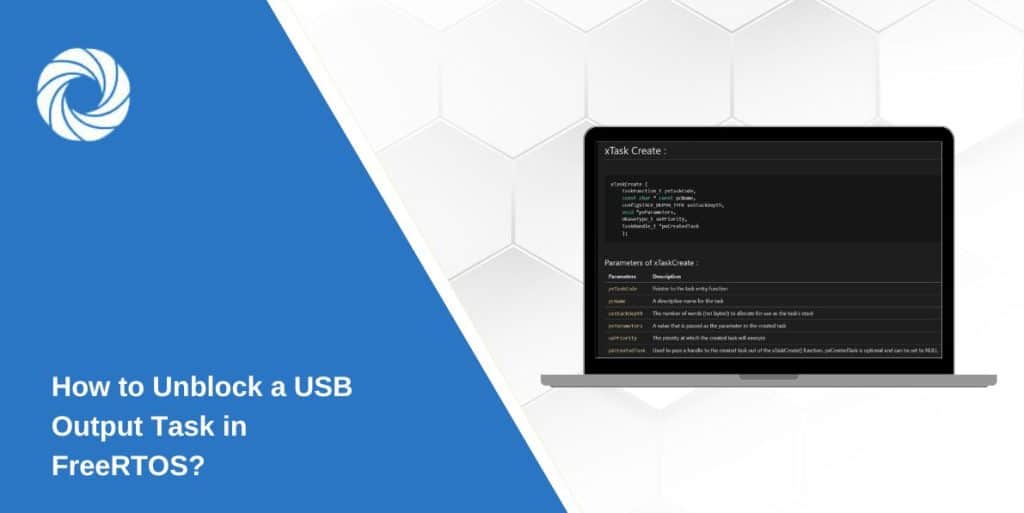
- Check the USB task priority value in xTaskCreate.
- Raise the priority above general processing tasks.
- Find long CPU loops that starve the USB task and fix or break them.
Method 4: Fix USB Driver Callback or DMA Completion Handling
This method matters because USB drivers depend on endpoint callbacks. If the callback does not fire, the USB task keeps waiting.
Here are the steps you can follow:
- Find the endpoint TX complete callback inside the HAL or USB driver.
- Confirm that the callback runs after each IN transfer.
- Add a task notification or semaphore inside the callback.
- Make sure the DMA interrupt is active if the driver uses DMA.
- Test a few packets and check if the USB task wakes up after each callback.
- Use tools like SystemView or a USB analyzer to watch callback activity.
Method 5: Fix Stack, Heap, or Memory Issues
This method helps because memory limits can freeze USB tasks. A small stack or low heap interrupts USB flow.
Here are the steps you can follow:
- Check the USB task stack size inside xTaskCreate.
- Increase the stack by 256 or 512 bytes.
- Turn on stack overflow detection in FreeRTOSConfig.h.
- Use Tracealyzer or SystemView to check real memory use during USB activity.
Tips for a Better and More Stable USB Output System
These simple improvements help prevent future freezes.
- Use double-buffering to reduce waiting time
- Use task notifications for quick signaling
- Keep the USB task short and simple
- Add DMA for high-speed USB transfers
- Add logs and a watchdog for early detection
- Match buffer sizes to your actual data rate
Conclusion
A USB output task in FreeRTOS often blocks because of missed notifications, full buffers, low priority, or memory problems. When you understand how tasks, interrupts, and USB endpoints work together, the fix becomes easier. The methods above help you find the reason and fix it step by step.
Once the USB pipeline works again, tuning priorities, callbacks, and buffer sizes keeps the system stable. If this guide helped you, feel free to comment or share it with others who work with embedded systems.