

In recent years, artificial intelligence has revolutionized the world of digital creativity. From image generation to voice synthesis, AI tools are becoming increasingly intuitive and accessible. As we step into 2025, creating AI-generated videos has become a powerful trend—and it's no longer limited to experts with deep pockets. Whether you're a digital marketer, educator, or content creator, AI video creation can now be done seamlessly using tools like MidJourney for visuals and free editing software for video compilation. This guide will walk you through the steps to create high-quality AI-generated videos without spending a dime.
Why Use AI for Video Creation?
AI video creation tools combine automation with creativity. Here's why more creators are adopting them:
- Faster Production: Generate visuals and animations in minutes rather than hours.
- Cost-Effective: No need to hire graphic designers, illustrators, or animators.
- Creative Freedom: Craft unique stories, styles, and visuals tailored to your vision.
- Scalable: Ideal for creating content in bulk for social media, marketing, or training videos.
Among the AI tools available, MidJourney stands out due to its powerful image generation capabilities. When paired with free video editing platforms, even beginners can produce cinematic-quality videos.
Step-by-Step Guide to Creating AI Videos Using MidJourney and Free Tools
1. Plan Your Video Concept
Every good video starts with a clear idea. Write a short script or outline the sequence of visuals you want. Think about the following:
- What is the purpose of the video? Education, marketing, storytelling?
- Who is the target audience? Kids, professionals, general public?
- What scenes or settings do you need? Landscape, futuristic city, ancient ruins?
- What tone should the visuals reflect? Dramatic, light-hearted, mysterious?
A well-thought-out plan will make it easier to generate the right visuals in the next steps.
2. Generate Images Using MidJourney
MidJourney allows you to create stunning, AI-generated visuals by entering simple prompts inside platforms like Discord. Follow these steps:
- Join the official MidJourney Discord server.
- Use the /imagine command followed by your descriptive prompt. For example:
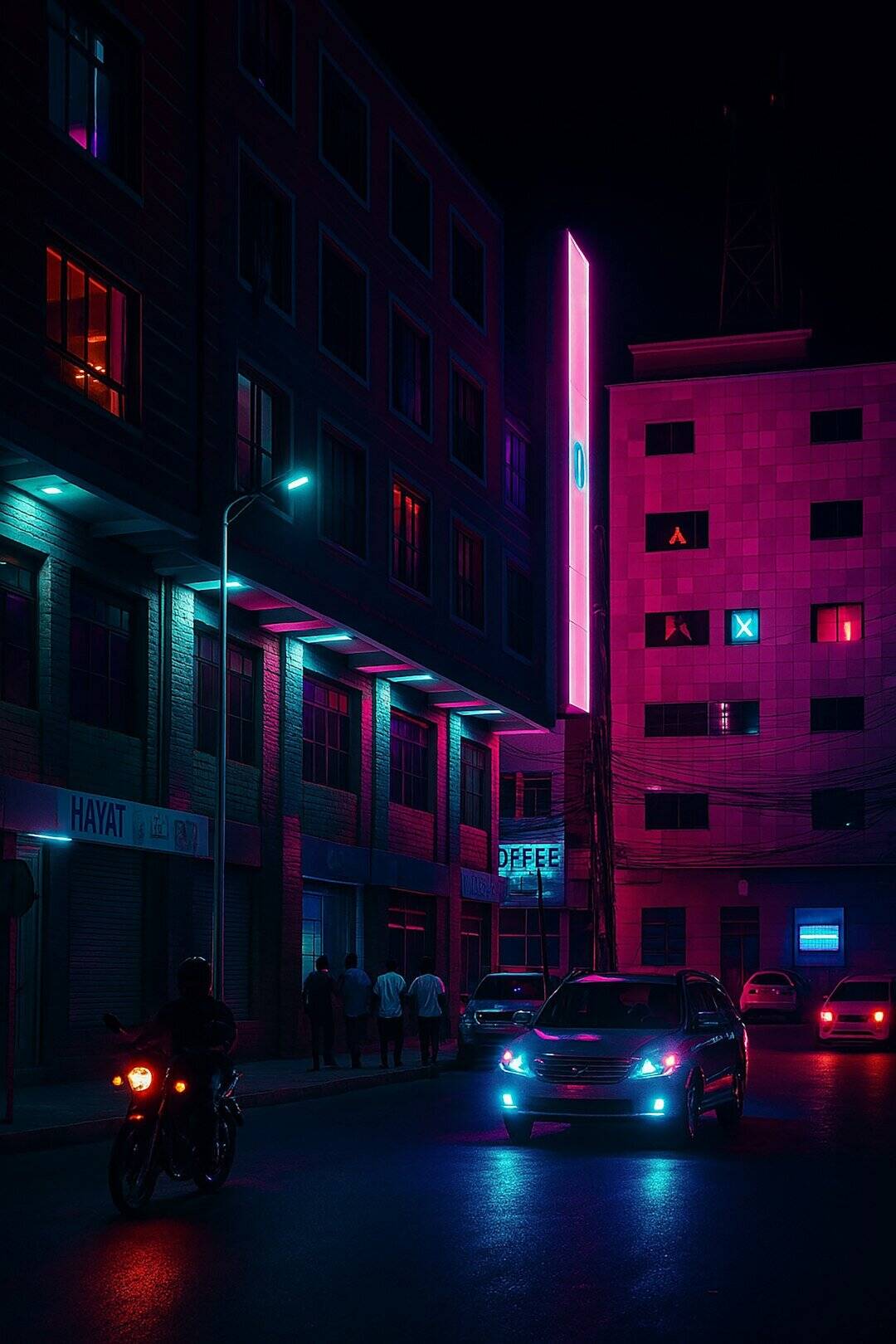
/imagine a futuristic Tokyo skyline, neon lights, raining softly, ultra-detailed - Wait 30–60 seconds while MidJourney generates the image grid.
- Choose the best result and upscale or create variations if needed.
- Download your final image.
Repeat this process for each scene or visual element needed for your video. Consider maintaining visual coherence by using similar styles and color schemes throughout.

3. Enhance and Animate Your Images
To breathe life into still images, you can animate them using free tools that simulate motion. Some popular picks in 2025 include:
- Kaiber (Free version available) – Import images and add camera movements and subtle animation effects.
- RunwayML – Apply depth maps and animate using AI-generated motion paths.
- CapCut (Desktop & Mobile) – Offers keyframe transitions, motion presets, and dynamic text animation.
Even a slight parallax effect (where the background moves slower than the foreground) can dramatically increase the realism of your video.
4. Add Voiceovers Using AI
No video is complete without a compelling narrative. Thankfully, there are several highly advanced text-to-speech tools in 2025 that offer lifelike voice synthesis:
- ElevenLabs – Natural-sounding voices with emotion control. Free tier covers basic usage.
- PlayHT – Excellent multilingual capabilities with voice cloning.
- TTSMaker – A simple and fast tool for basic narration needs.
Write your script in a clear, conversational tone. Upload your text, choose a voice, and download the MP3. You can split longer scripts into scenes to match each visual segment.


5. Assemble Your Video Using a Free Editor
Now comes the fun part: bringing all your elements together. Free editing tools like these can help you compile your visuals, sound, and effects into a final masterpiece:
- DaVinci Resolve (Free) – Hollywood-grade editing with advanced features such as color correction and VFX.
- CapCut – Ideal for social media edits, offering a free PC version with templates and transitions.
- HitFilm Express – Great for intro animation, 3D effects, and timeline-based editing.
Steps to assemble your video:
- Create a new project in your chosen editor.
- Import your animated images or video clips.
- Drag and drop them into your timeline in sequential order.
- Add your AI-generated voiceover and sync it with the visuals.
- Insert background music (make sure it’s royalty-free) for emotion and tone.
- Use transitions and text labels where necessary.
- Export your final video in HD or 4K format.
Bonus: Add Subtitles and Translation
For broader reach, consider adding subtitles. Tools like AutoSub or Subtitle Edit use AI to automatically transcribe audio and even translate it into different languages. This is especially useful for YouTube content or international audiences.
Tips for Success
- Maintain a Consistent Style: Avoid mixing very different image styles unless it’s intentional for storytelling.
- Keep it Short and Engaging: Attention spans are short. Aim for videos between 1–3 minutes unless it's a documentary or training module.
- Use Royalty-Free Assets: Sites like Pixabay, Pexels, and Mixkit offer free music, sound effects, and overlays.
- Test Multiple AI Prompts: Experiment with different prompts to achieve the most striking visuals.
Real-World Application Ideas
Here are a few ways creators are using AI video workflows:
- Social Media Content: Eye-catching posts for Instagram, TikTok, and YouTube Shorts.
- Explainer Videos: Simplify a complex idea using visuals and voiceover.
- Product Demos: Showcase a new app or service with style.
- Educational Tutorials: Create engaging learning experiences.
- Short Films: Bring sci-fi worlds or artistic ideas to life without a big crew.

Conclusion
Creating AI videos in 2025 is no longer a luxury reserved for professionals. With tools like MidJourney generating stunning visuals and free software platforms assisting with editing, animation, and narration, anyone can become a storyteller. As these technologies continue to evolve, so will your ability to express ideas in exciting new ways. Don’t be afraid to experiment—your next viral video might just be a few AI prompts away.
Start creating today, and unleash the filmmaker within you—AI is here to take your imagination to the next level.