

When browsing the internet, refreshing a page is a common task. Whether you’re trying to view updated content or fix a display issue, knowing the difference between F5 and Ctrl + F5 (or Shift + F5) can make a big difference. While both keys reload a page, they do so in different ways — and understanding these differences can help you navigate browsing issues more effectively.
In this article, we’ll explain the functions of F5, Ctrl + F5, and Shift + F5, and when each is useful.
What Does the F5 Key Do?
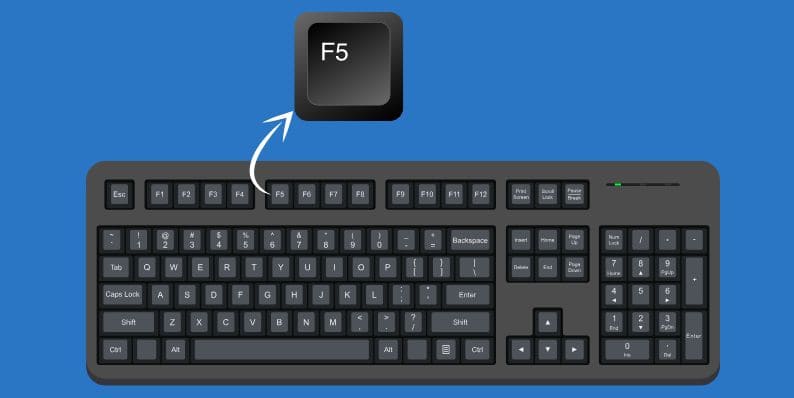
For many users, pressing F5 is enough to refresh the page and display the most recent updates. However, the refresh is typically light, meaning the browser might still show you some outdated resources from the cache, especially if the page hasn’t been updated frequently.
What Is Ctrl + F5 and Why Should You Use It?

Here are some common situations where you’d want to use Ctrl + F5:
- When you’re troubleshooting problems with missing images or CSS styles.
- If the page doesn’t load properly, showing errors or incorrect formatting.
- When you want to ensure that you see the latest updates to a webpage that has changed frequently, like news sites or blogs.
This shortcut is especially helpful when you’re web developing or testing, as it clears any cached versions of a page to ensure you’re viewing the most up-to-date content.
Shift + F5: What Is It and How Is It Different?
The Shift + F5 combination is often considered a variation of Ctrl + F5, and in many cases, it works the same way. Shift + F5 can trigger a hard refresh, just like Ctrl + F5, bypassing the cache and fetching the latest version of a page.
However, Shift + F5 may behave differently depending on the browser and operating system you're using. Some users may find that Ctrl + F5 is the preferred shortcut for a forceful refresh, while Shift + F5 may offer similar functionality across most modern browsers.
Ultimately, both shortcuts are useful for clearing the cache and ensuring you see the newest page content. The key difference is that Ctrl + F5 is the most widely recognized option for most browsers.
When to Use F5 vs. Ctrl + F5 (or Shift + F5)
Knowing when to use F5, Ctrl + F5, or Shift + F5 can make your browsing experience much smoother. Here’s a simple guide:
- Use F5: For a regular refresh, when you just need to quickly reload the page using cached data. This is helpful for general updates like refreshing the homepage or checking for new social media posts.
- Use Ctrl + F5: For a hard refresh when you need to bypass the cache and ensure that you’re loading the most recent content. This is ideal for:
- Troubleshooting broken images, videos, or layout issues.
- Web development and testing changes on a page.
- Viewing updated content when the cache is showing you outdated information.
- Use Shift + F5: In most cases, this will function the same as Ctrl + F5, forcing a refresh without using the cache. It may be a good alternative if Ctrl + F5 doesn’t work, but both usually do the same thing.
Why Ctrl + F5 Is Especially Useful for Developers

By pressing Ctrl + F5, developers can force the browser to load the page without relying on cached data, ensuring that the most recent changes are displayed. This is especially useful when testing:
- Styling updates.
- Interactive scripts.
- New content or resources like images and videos.
How Browser Cache Impacts Page Loading
The browser cache stores elements of a web page (like images, scripts, and stylesheets) to help pages load faster during subsequent visits. While caching is great for speed, it can also lead to outdated content being displayed. For example, if a page updates but the browser still shows the cached version, users may see old information or incorrect layouts.
Ctrl + F5 (and sometimes Shift + F5) solves this issue by forcing the browser to fetch new content, bypassing the cache.
Common Problems That Ctrl + F5 Solves
Here are some typical issues that Ctrl + F5 can fix:
- Outdated or missing images and videos that won’t load.
- CSS not updating, causing broken or incorrect layouts.
- JavaScript not functioning correctly, such as interactive elements not responding.
These problems occur when the browser relies on outdated cached content instead of the most recent data. Ctrl + F5 ensures you’re seeing the fresh, updated version.
Does Shift + F5 Work in All Browsers?
While Shift + F5 is supported in most modern browsers like Chrome, Firefox, and Edge, the behavior may vary slightly. Some browsers may prioritize Ctrl + F5 for forcing a hard refresh. However, in most cases, Shift + F5 will perform the same function.
Conclusion
In summary, F5 and Ctrl + F5 (or Shift + F5) have distinct uses. F5 is perfect for a quick refresh when you’re fine with loading from the cache. On the other hand, Ctrl + F5 is essential for force-refreshing a page to load the latest content, especially when dealing with page layout problems or testing new changes.
Understanding the difference between these refresh methods can improve your browsing experience and help you troubleshoot issues faster. Whether you're a casual user or a developer, knowing when and how to use these shortcuts can make a big difference.